
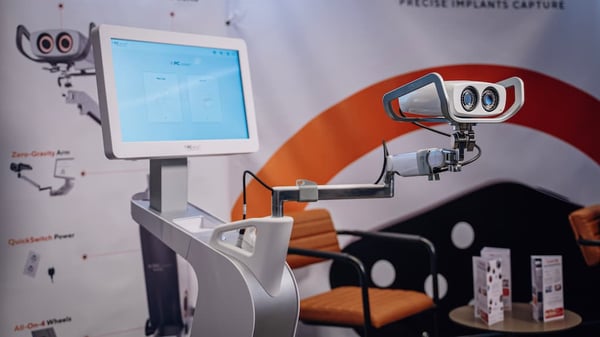
What is PIC system Gravity?
PIC system is available in three different form factors: PIC system Gravity, PIC system Station and PIC system.
PIC system Gravity and PIC system share an All-in-One design concept, integrating the PIC camera, its image processing unit, a computer with the PIC suite software, and a large touchscreen in a single unit.
PIC system Gravity is a format designed for use at a single dental practice, as it's optimized for fast room switching.
Compatibility of PIC system Gravity
- Legacy PIC camera (released in 2010)
PIC system Gravity is available as a form factor upgrade for Legacy PIC systems. - PIC camera (released in 2022)
Unboxing and initial setup of PIC system Gravity
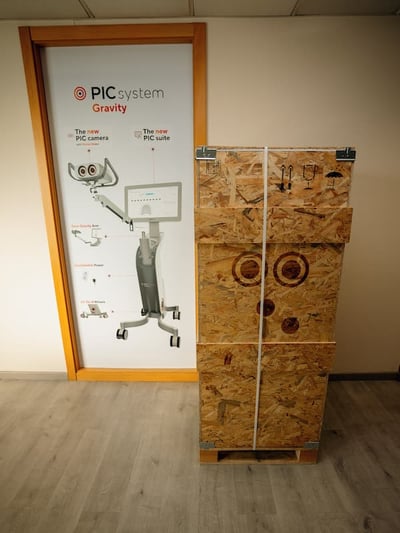
PIC system Gravity is shipped in a custom-designed wooden box to protect all system components during transport.
PIC system Gravity is shipped fully assembled except for the PIC camera and Grip accessory that are packed separately for further protection.
Did you know?
PIC system Gravity's box is custom engineered by PIC dental to make unpacking fast and easy.
All that is needed to unpack PIC system Gravity is one pair of scissors and a single person.
Features and parts of the system
PIC system Gravity includes a number of features and components, some of which are specific to this form factor. The main parts of the system are:
Unique to PIC system Gravity:
Available on all PIC system Gravity, PIC system Station and PIC system:
Operating positions of PIC system Gravity
PIC system Gravity has three different positions:
Features
Zero-Gravity Arm
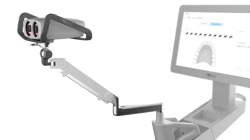
This two-section arm holds the PIC camera and Grip accessory.
Zero-Gravity Arm provides multiple degrees of freedom for positioning, rotating, and tilting the PIC camera in space. It is counterbalanced so that the PIC camera stays in the position it's been moved to. It also has a cable channel to guide the camera cable from the PIC camera to Gravity's camera cable port.
Zero Gravity Arm's range of motion is designed to let you move and adjust the camera position in front of the patient’s mouth during capture. When not in use, the arm's sections are folded together in order to make the system more compact and stable for storage and transport.
Learn more about the maintenance and adjustments of the Zero-Gravity Arm in the following articles:
QuickSwitch Power
QuickSwitch Power is an internal smart power supply unit with a backup battery that can last up to 2 hours.
QuickSwitch Power was designed to allow PIC system Gravity to be unplugged from AC power during short periods of time without turning it off to save you time during room changes.
It activates automatically when the system is unplugged while it's turned on, and it keeps the system running on battery power while it’s on the move. When PIC system Gravity is plugged back in the next room, it switches over to the AC power again.
Learn more about how QuickSwitch Power works to switch rooms faster with PIC system Gravity.
All-on-4 Wheels
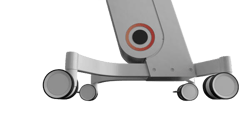
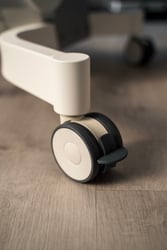
At the base of PIC system Gravity there are four wheels that allow the system to be easily moved through your dental practice. Each wheel is equipped with a lever brake that stops the wheel from rotating when pushed down.
Accessory tray
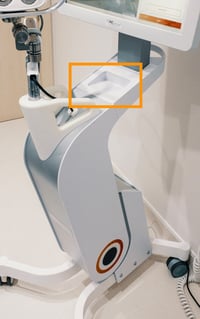
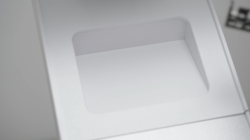
PIC system Gravity has an accessory tray located below the screen base of the system. This is a multipurpose space that can be used for placing any tools and accessories, such as PIC transfers (inside sterilization pouches).
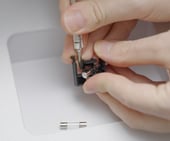
It can also be used as a working surface during fuse replacement on PIC system Gravity.
Ports on PIC system Gravity
PIC system Gravity has the same ports as PIC system. In Gravity, these ports are organized in different locations:
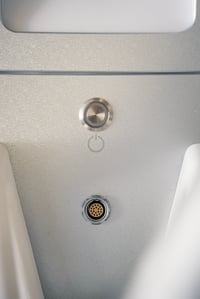
1. At the base of Zero-Gravity Arm:- ON/OFF button. Used to turn PIC system Gravity on and off.
- PIC camera cable port. PIC camera is connected to the system via this port.
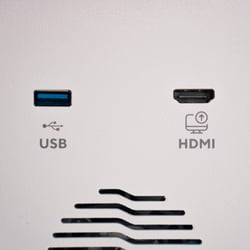
2. At the back of the system:
- USB-A port. Used to connect USB flash drives for different purposes:
- HDMI port. Provides an HDMI video signal duplicate of PIC system's screen contents. This port can also be used to capture a screen recording of PIC suite by using an HDMI video capture card.
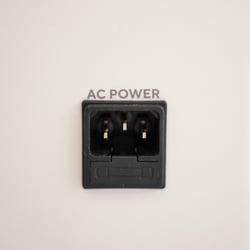
3. At the bottom of the back of the system:
- AC power port. The AC cable plugs in here. This port also contains a fuse that protects PIC system Gravity's electronics from unexpected power surges.
PIC system Gravity touchscreen
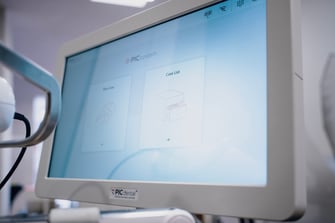
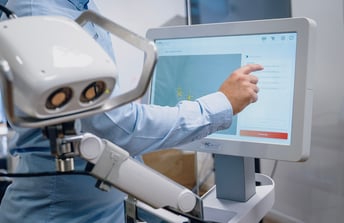
PIC system Gravity has a large screen to operate the PIC suite software. As it's a touchscreen, no external keyboard or mouse are necessary to operate the system.
Operation positions of PIC system Gravity
There are three different modes of operation for the PIC system Gravity depending on whether the system is currently in use for a capture, stored, or being transported within the clinic.
1. Working position
When the PIC system Gravity is in use, completing a capture, the system is in its “Working” position.
- PIC system Gravity is chairside and turned on.
- All 4 wheels must be locked using their built-in brakes (by pressing on the brake lever attached to each wheel) to avoid unintended rolling of the system.
- Zero-Gravity Arm is unfolded.
2. Storage position
When the PIC system Gravity is not being used, it is most likely being stored somewhere out of the way.
- PIC system Gravity is located in an appropriate area of the dental room or storage room of the practice.
- All 4 wheels must be locked using their built-in brakes (by pressing on the brake lever attached to each wheel).
- Zero-Gravity arm must be folded.
3. Transport position
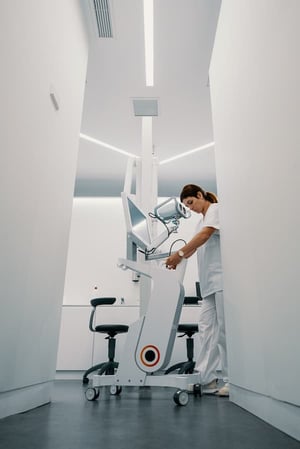
When PIC system Gravity needs to be transported between rooms
- All 4 wheels must be unlocked (by pulling the brake lever attached to each wheel up).
- Zero-Gravity arm must be folded.
- PIC system Gravity can be moved by one person by either:
- Holding one hand onto the handle behind the screen's base and another hand onto one of the handles available at each side of the base of the Zero-Gravity Arm.
- Holding both hands on the handles at the base of the Zero-Gravity Arm.
- Never transport the system using just one hand or holding just the handle behind the screen's base: always hold on to both handles and be careful with the surrounding space.
Thanks to QuickSwitch Power, PIC system Gravity can be unplugged from AC power to transport it to a different clinical room without turning it off. Learn more about how QuickSwitch Power works.