/PIC_H_LOGO_1.svg)
Included inside PIC system Gravity's box: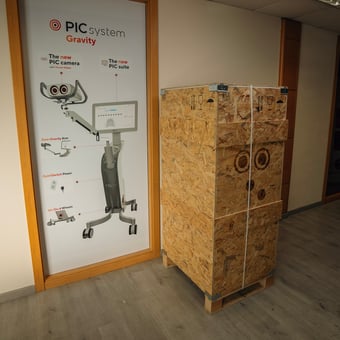
- PIC system Gravity (with internal computer unit, touchscreen, PIC camera image processing unit, QuickSwitch Power module, Zero-Gravity Arm attached)
- PIC camera with Grip accessory (assembled in a separate box)
- PIC transfer kit(s) in a separate box
- Allen key and three screws (for attaching the PIC camera to the Zero-Gravity Arm)
One person is sufficient to fully unpack PIC system Gravity from the box. The only tool required is a pair of sharp scissors.
Step-by-step process:
- Before unpacking, ensure that the box is facing forwards (the front panel has PIC dental's logo icon). The only sides of the box that will be removed while unpacking are the top and front panels. The sides and back panel will remain in place.
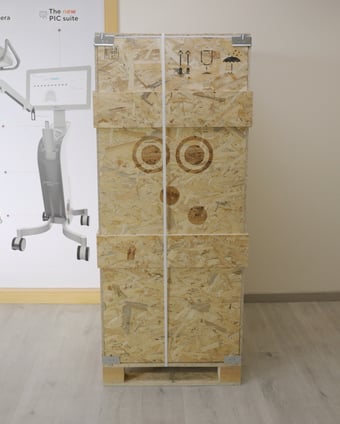
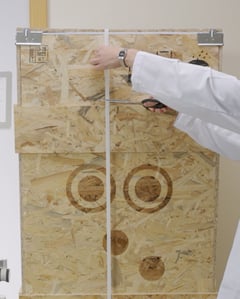
- With one hand, grab the top of the white strap and use the scissors to cut it. Careful: due to the tension of the strap, it will quickly bounce outwards when cut.
- Once the strap has been cut, the top panel can be removed. Grab the top panel of the box by the sides and pull upwards.
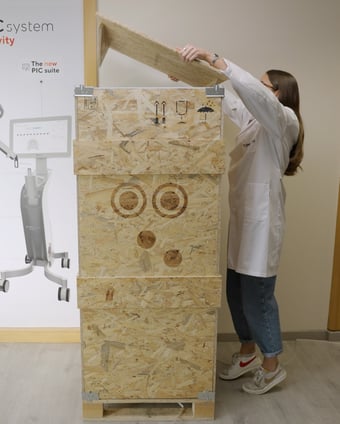
The top panel has wooden legs and it will be used as a ramp for rolling PIC system Gravity out. Place it in front of the box.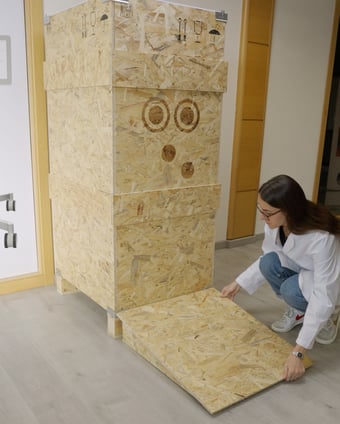
- The front side of the box is held in place by the two removable metal corners on the top of the front panel. Push both metal corners upwards with both hands to release them from the box. Only release the two metal corners attached to the front panel: do not remove the other two corners at the back panel.
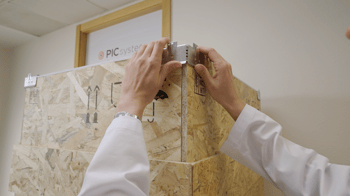
- The front panel of the box can now be removed by sliding it upwards and then outwards.
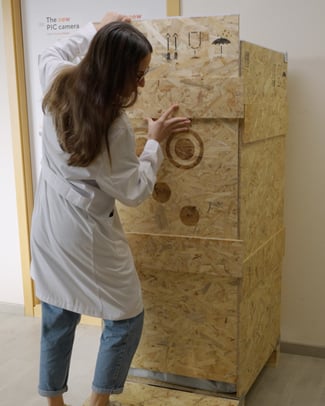
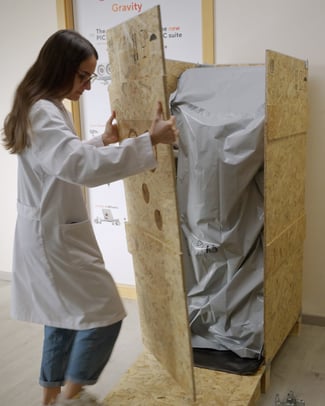
- There are two air cushion fillers protecting PIC system Gravity at the sides. Remove both from the box.
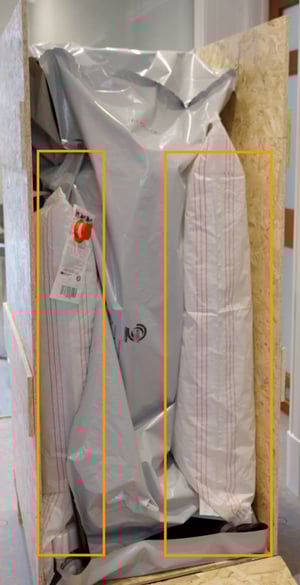
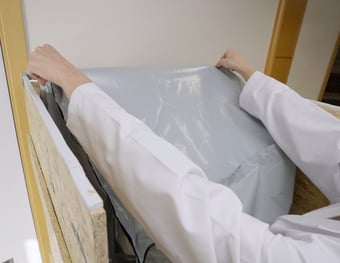
- PIC system Gravity is covered by a bag. To remove the bag, start by grabbing the top corners at the back and pulling upwards before pulling outwards. The bag should slide off seamlessly. Do not pull the bag directly outwards first as it will catch on the system's screen.
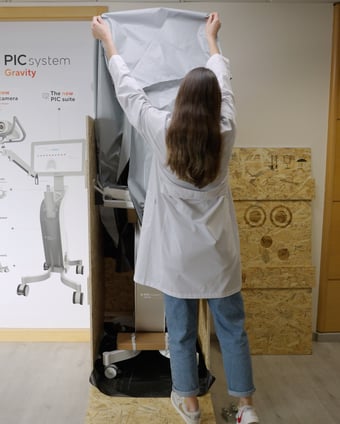
- PIC system Gravity is attached to the inside of the box by several white straps that must be cut. Start by cutting the strap attaching the Zero-Gravity Arm to the left panel:
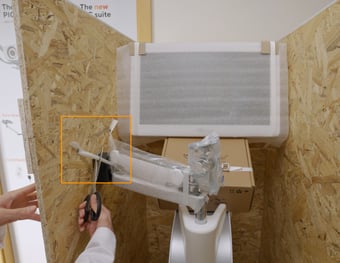
- Continue by cutting both straps on the sides of the screen.
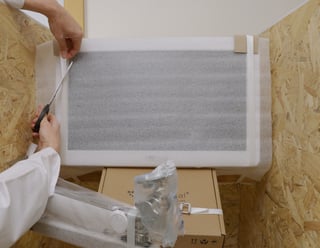
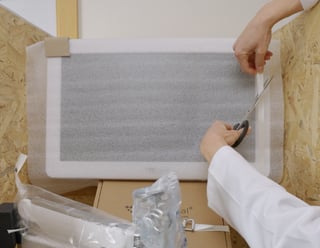
- Two more straps are attached to each of the front legs at the very bottom of the box. Cut both of the straps. Make sure to only cut the strap holding the legs together, not the strap above, holding the small cardboard box to the leg.
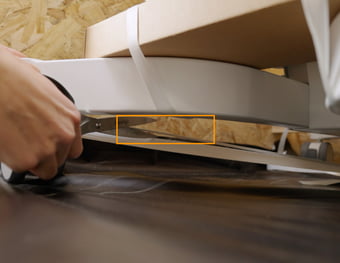
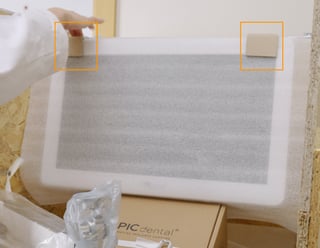
- Once all straps are cut, PIC system Gravity is almost ready to be wheeled out. Remove the styrofoam filler between the Zero-Gravity Arm and the left panel, and the cardboard protectors on the top corners of the screen.
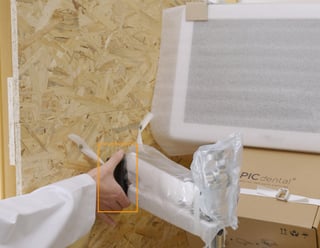
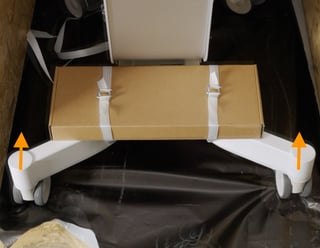
- Unlock the brake on each of the four wheels by pushing the brake handle upwards.
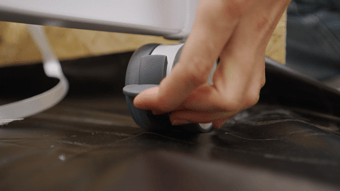
- Once the wheels' brakes have been released, rotate the front wheels backwards, so they are both facing in a straight direction towards the back of the box. This ensures that the system wheels out smoothly.
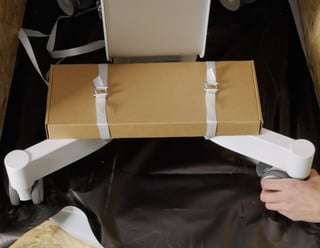
- Using the white handle at the base of the Zero-Gravity Arm, slowly begin to wheel the system out of the box using the ramp.
Note: there is a small, metal clasp that slightly protrudes out at the bottom edge of the box, underneath the bottom black sheet. To wheel the system out, you will need to lift the system a little to go over the small bump.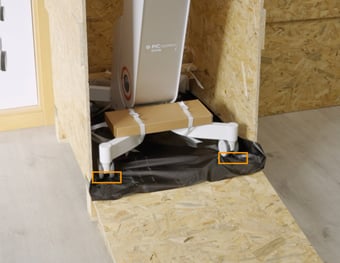
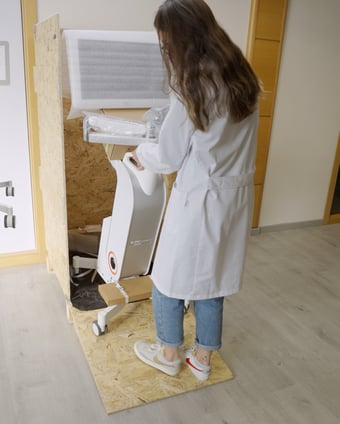
- Slowly roll the system out until it is standing fully flat on the floor.
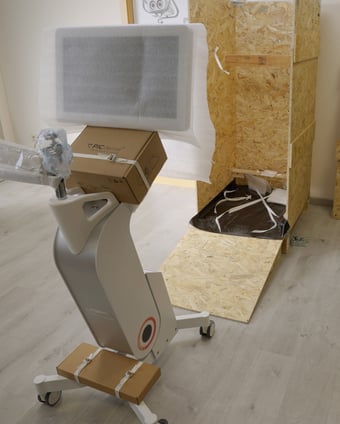
- Remove the remaining covers and cut the straps holding the PIC camera box and the accessory box.
After unpacking...
After removing PIC system Gravity from its box:
- Attach the PIC camera to the Zero-Gravity Arm following these instructions
- Plug PIC system Gravity to AC power with the provided cable and turn it on. Learn more about handling your PIC system Gravity here
- Install your PIC transfer kits in PIC suite following these instructions