/PIC_H_LOGO_1.svg)
Zero-Gravity Arm's upper section is designed to counter-balance the weight of the PIC camera and Grip that are attached at its end. Please make sure your PIC camera and Grip accessory are both attached to the Zero-Gravity Arm before adjusting the counter-balance strength.
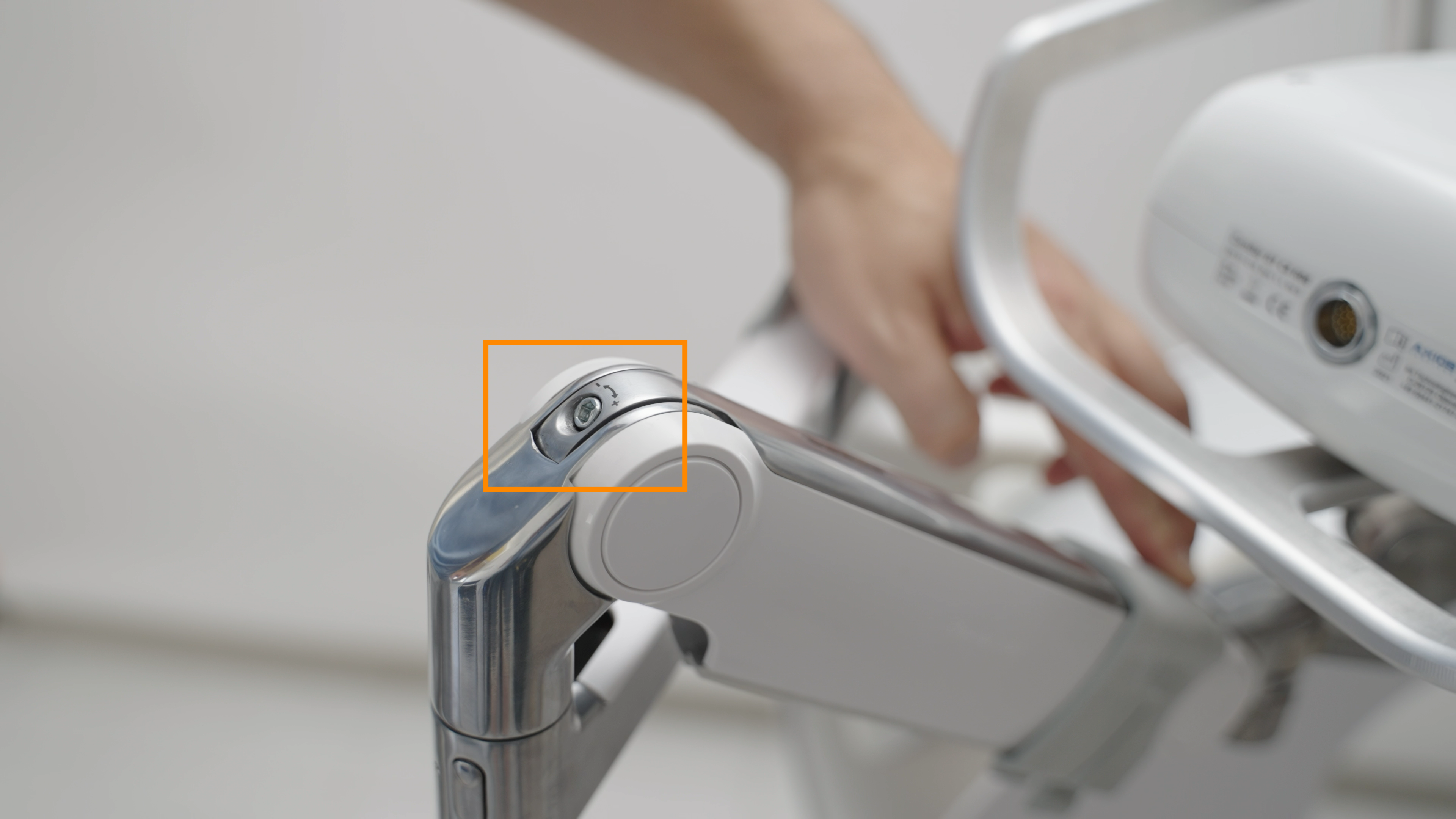
- Lift the upper section of Zero-Gravity Arm, turn it to the side and push the arm down until you see a screw with a + and - symbol above it at the base of that section of the arm as highlighted in the photo below:
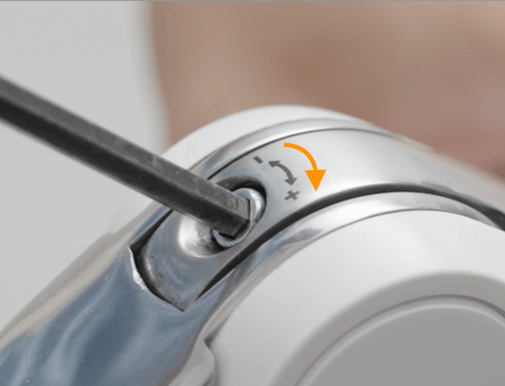
- To increase Zero-Gravity Arm's counter-balance strength so that it provides with more force opposition to the weight, insert the Allen key into the screw, and turn it towards the + symbol.
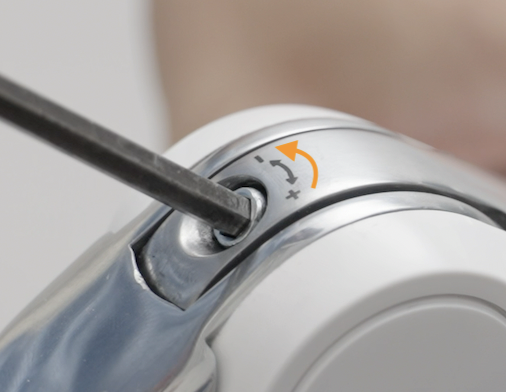
- To reduce Zero-Gravity Arm's friction so that it moves with less force opposition to the weight, insert the Allen key that was provided with your system into the screw, and turn it slightly towards the - symbol.
- After adjusting the counter-abalnce strength, check if the adjustment is to your satisfaction by moving Zero-Gravity Arm's upper section vertically.