
To connect the camera cable to the PIC system
- Open the PIC camera compartment. If the PIC camera is currently stored inside the compartment, remove it. More information on opening the PIC system and accessing compartments.
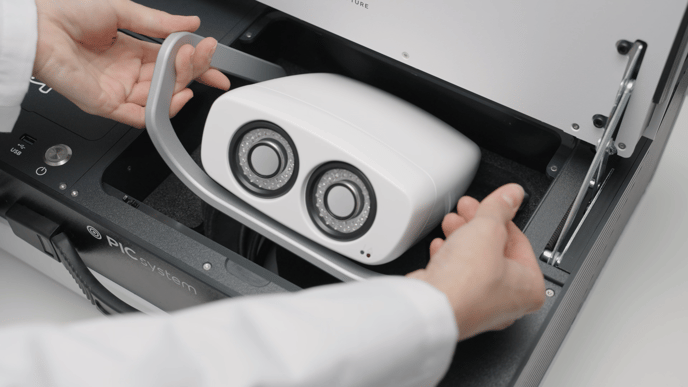
- Locate the PIC system's camera cable connector at the front side of the bottom of the PIC camera compartment.
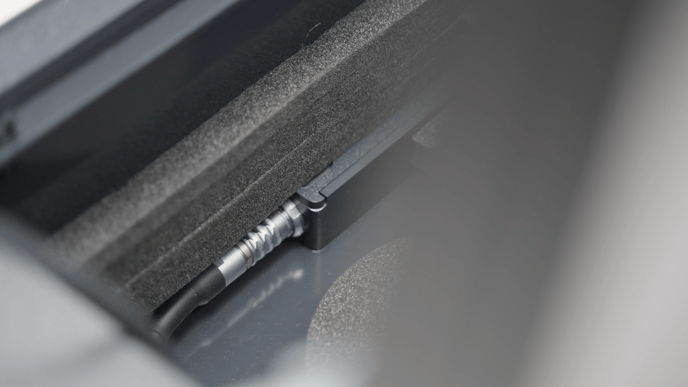
To connect the camera cable, first align the red dot on the cable to the red dot on the connector of the PIC system. Do not apply force to the cable and avoid bending the cable excessively.
Then, carefully push the camera cable's connector into the PIC system's connector until you hear a click sound that will confirm it is fully connected. - The cable can be kept permanently connected to the PIC system's connector and stored in the circular storage area under the PIC camera at the bottom of the compartment. Use this circle as a guide of how to wrap the cable for storage. Do not apply force to the cable and avoid bending the cable excessively.
The camera cable must be disconnected from the PIC camera for storage. Do not attempt to place the PIC camera into its compartment in the PIC system with the cable still attached as this may damage the camera cable and/or the PIC camera's cable connector.
To connect the camera cable to the PIC camera
- Connect the camera cable's connector to the PIC camera by first aligning the red dot on the cable to the red dot on the connector at the back of the PIC camera. Then carefully push the camera cable's connector into the PIC camera until you hear a click sound that will confirm it is fully connected.
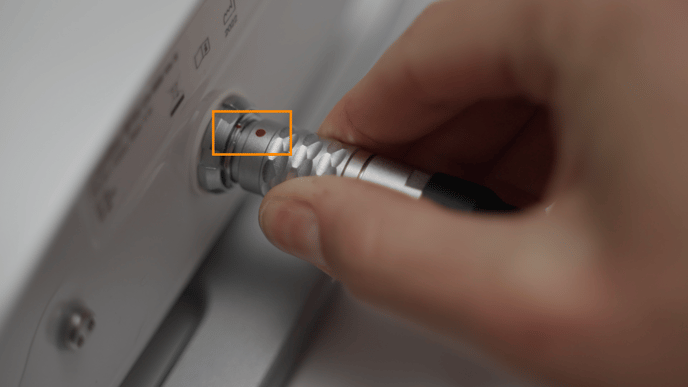
To disconnect the camera cable from the PIC camera
- Hold the camera cable by the textured handle of the connector. Carefully pull it outwards away from the connector without applying excessive force.
- The textured handle will move outwards first and the internal mechanism of the connector will disengage, allowing the camera cable to disconnect.
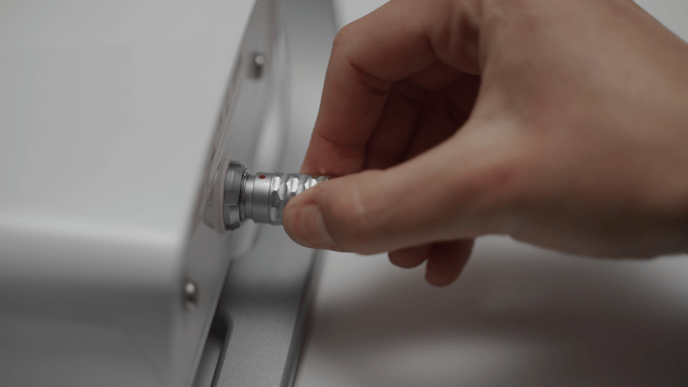
To disconnect the camera cable from the PIC system
- Disconnect the camera cable from the PIC camera using the instructions above.
- Locate the PIC system's camera cable connector at the front side of the bottom of the PIC camera compartment.
- Hold the camera cable by the textured handle of the connector. Carefully pull it outwards away from the connector without applying excessive force.
- The textured handle will move outwards first and the internal mechanism of the connector will disengage, allowing the camera cable to disconnect.