
Where can you mount PIC system Station?
The PIC system Station, being the most compact component of the PIC ecosystem and featuring a standard VESA mount on its back, offers versatile installation options to suit your needs—whether you prefer a permanent setup or require mobility:
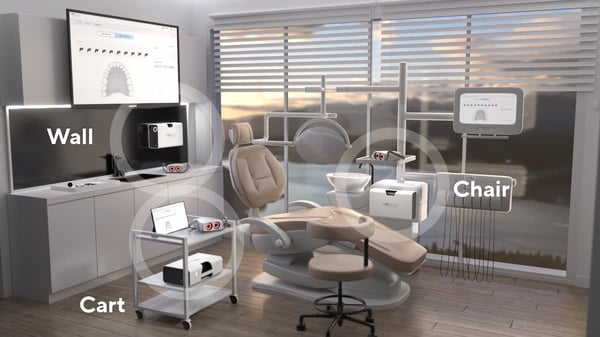
Connect your PIC system Station to any monitor already available in your clinical room. Alternatively, you can use the portable touchscreen provided by PIC dental.
Additionally, the design of the PIC system Station allows for easy relocation, enabling you to move it to different rooms or dental offices as needed.
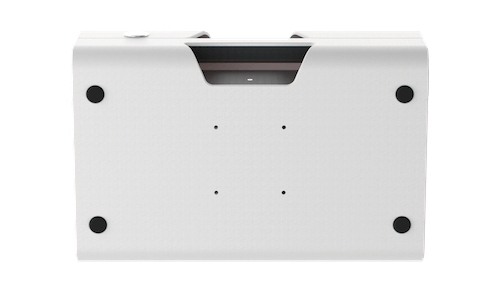
To mount your PIC system Station on a wall or your dental chair, you'll need a monitor mount compatible with the standard VESA 75×75 that supports at least 13.2 lbs / 6 kg. Make sure the mount you are using is installed securely, using the manufacturer's instructions. PIC dental bears no responsibility for damage to PIC system Station due to inadequate or unsafe VESA mount installations.
How to mount PIC system Station on the wall
To maximize your counter space and keep the PIC system Station in a fixed location, consider a wall mount if you plan to use the system primarily in the same clinical room.
For installation, use the standard VESA holes (75 × 75 mm) located on the back of the PIC system Station.
How to mount PIC system Station on a dental chair
The PIC system Station can be mounted on the arm of your dental chair, allowing for efficient use of space while keeping the system within easy reach during procedures. To achieve this, use a VESA mount compatible with your dental chair.
How to use PIC system Station on a cart
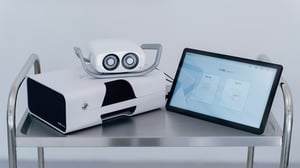 If you plan to relocate the PIC system Station within your dental office or from one area to another, you can place it on the surface or tray of any cart you have. This setup allows you to keep other essential PIC equipment close at hand, such as the PIC camera and the included portable touchscreen.
For optimal functionality, it is highly recommended to use the PIC system Station with the portable touchscreen when employing a cart setup.
If you intend to use the portable touchscreen with your PIC system Station, we recommend consulting the article How to use PIC system Station with the portable touchscreen for guidance.