
What is QuickSwitch Power?
QuickSwitch Power (QSP) is an advanced internal power supply unit with a built-in backup battery inside all PIC system formats:
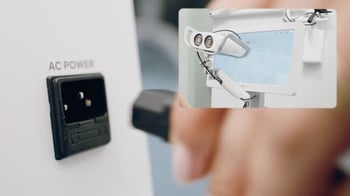
- PIC system
- PIC system Gravity (v1 & v2)
- PIC system Station
This feature allows your PIC system to be unplugged from AC power without turning it off for a limited amount of time.
Time limitation on QuickSwitch Power battery use
All PIC systems formats with QSP have a battery use of up to 2 hours, with one exception:
- QuickSwitch Power v1 (PIC system Gravity v1 units): The first generation of QSP capacity was limited to early units of PIC system Gravity
- Up to 20 minutes of battery power
- Designed for room switching without turning the system off
- No battery percentage indicator in PIC suite, QSP activation signalled by audible beeping (slow beeping for sufficient charge remaining and rapid beeping for low charge)
- No automatic shutdown: system must be turned off (using the shutdown button in PIC suite's interface) when QSP is rapid beeping, signalling low battery.
- QuickSwitch Power v2 (all PIC system formats): The current generation of QSP.
- Up to 2 hours on all formats (PIC system Gravity, PIC system and PIC system Station)
- Designed for taking patient captures on battery power and room switching without turning the system off
- Battery percentage indicator in PIC suite
- Safe automatic shutdown when battery is depleted
When QSP's battery is activated and the battery has charge left, your PIC system will continue to run on battery power. When the battery is depleted, QSP will perform a safe shutdown.
If the QSP battery is critically low, it might shut down the system at any time, even before reaching the maximum capacity duration.
If your PIC system was shut down automatically by QuickSwitch Power while unplugged, make sure to connect it to AC power before turning it on the next time.
How does QuickSwitch Power work?
- QSP automatically recharges its backup battery whenever the system is plugged to AC power.
- QSP immediately activates the backup battery when the system has been unplugged from AC power to keep the system powered on with no interruptions.
-
PIC suite will provide a visual indicator of the battery's remaining capacity as a percentage while the system is on and unplugged.

How to use your PIC system in QuickSwitch Power mode
There are two scenarios where the QSP battery will be helpful:
- Your PIC system is currently powered on and plugged to an AC power source, but you want to move the system to another location without turning it off or switch to battery power for capturing.
- Disconnect the PIC system from the AC power
- QSP will immediately activate and system will stay turned on using battery power
- Connect the PIC system back to AC power when possible to keep battery charged
- Your PIC system is off, and you want to turn it on without an AC power source to capture on battery.
It is recommended to keep your PIC system plugged in, to keep QSP's battery recharged.
Remember that PIC system Gravity v1 is not intended to be used for capture on QSP mode. This generation's QSP will audibly beep when you disconnect it from an AC power source. The beeping will continue while the PIC system Gravity is battery-powered on QSP mode, and it will occur even if the system has been unplugged while turned off.