
The PIC camera has distinct states that can be identified by its lights. Understand the different states of the PIC camera based on its status LEDs and infrared ring lights.
Connecting the PIC camera
Connecting before turning the PIC system on (recommended) - PIC system Legacy
We recommend that the PIC camera is connected to the PIC system with the camera cable before turning the system on. In this case, no further actions are needed as the PIC camera will be initialized (prepared for capture) automatically during the boot sequence of the system and no further action is needed.
Connecting after turning the PIC system on
When the PIC camera is first connected, the green LED status light will start blinking. 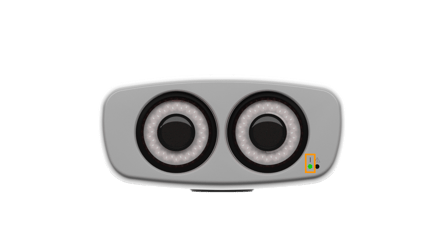
Please wait for the blinking to stop. After the green LED status light stops blinking and is on (static), the camera can now be initialized (prepared for capture) via the software.
Initializing the PIC camera
If the PIC camera was connected after the PIC system was already turned on, the PIC camera icon in the status bar of PIC suite must be tapped once to initialize the PIC camera.
A blinking orange status dot under the camera icon will appear during the initialization process.


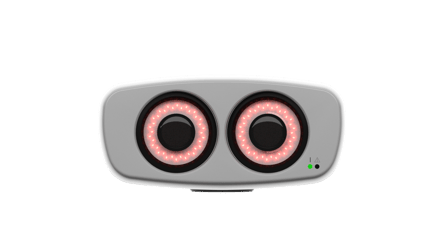
Once the dot turns static green, and the PIC camera infrared ring lights are on, the PIC camera is connected and ready for capture.

Disconnecting the PIC camera
WARNING
The PIC camera is a sensitive medical device that requires a specific shutdown procedure following either one of these methods.
The PIC camera can be disconnected in two different ways:
Disconnecting via the camera status button
1. Tap once on the camera icon in the status bar.
2. After the icon has been tapped, the orange status dot will blink for a few seconds. Once the PIC camera's infrared lights turn off (it is no longer initialized), the camera cable can be safely disconnected.
Disconnecting via shutting down the PIC system
1. Tap the Shutdown icon in the status bar and tap on the "Shut down" button.
2. After the PIC system's computer has turned off, the camera cable may be safely disconnected.
Never disconnect the camera cable of the PIC Camera while the PIC system is turned on and the PIC camera is on AND initialized (with the infrared ring lights on). This may cause permanent damage to the PIC system and/or the PIC camera that are not covered by the warranty and will be the responsibility of the final user.